
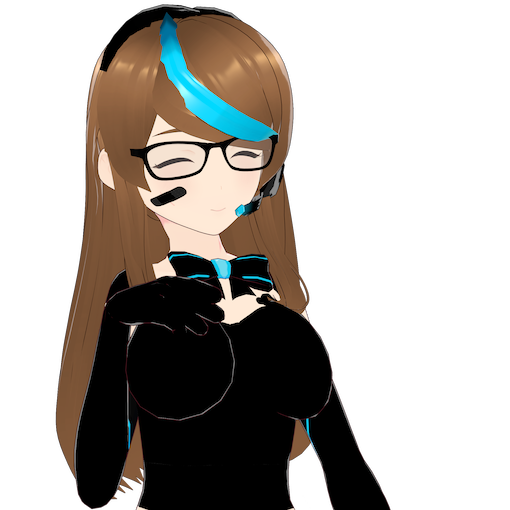
Hello, and welcome to my website!
Here, you'll find blog posts, helpful resources, links to content archives, and links to bonus downloadable content such as wallpapers, calendars and note sheets. I do apologise if I can't always get around to updating the site on a day-by-day basis, as I have a busy life. Oh, and for now, welcome to this new, completely overhauled from the ground up version of my site! It took me several months to get done, primarily due to procrastination and because it feels more exciting to code an OS than a website while bored in class. Regardless, I'm on to college in a few months' time and my degree will focus on computers. Since this is a significant overhaul and changes are bound to come in the future, in addition to updating the site with more content in the future, let me know ASAP if there is a significant problem.
Latest Video
I used Windows Vista for a week. It wasn't as bad as you think.
So while many people can admit Windows Vista wasn't as bad as people thought it was back in the day, there's still a few who think it was bad. Now while I have liked this OS for over a decade, I never got the opportunity to truly daily drive it. I used it on a family friend's laptop, although that was not my laptop and I genuinely haven't been to their place in years. So, after all of these years I finally decided to try daily driving it. And so was it really that bad? Honestly, maybe my view of it not being that bad holds up to this day.
~ Uploaded: 2026-07-11
~ Last updated: 2026-07-13
~ Previous Video: Netscape Navigator 9 (2007): The best ending for this browser?
~ Link: YouTube / Video Directory
Copyright (c)2019-2026 SteelsOfLiquid (Nathan Renaud).
Latest Blog Posts
- Report: Microsoft Project 2000 on Linux (2026 May 14)
- The start of a new era of SteelsOfLiquid. (News 2026 May 14)
- Blog Updates of 2025 July 13 (News 2025 Jul. 13)
- New website. Now what? (News 2025 Jan. 10)
- Not available
- Not available
- Not available
- Not available
- Not available
- Not available
View All

Latest changes to the site
First of all, all references to the legacy site (Google Sites) have been removed as it does not exist anymore and I was unable to preserve copies of the articles and resources held there. Some materials will be rewritten, such as the Windows 7 ringtones article. But the main change, as mentioned above in the welcome message, has been a significant overhaul to the site. It may work on slightly older browsers (2012 browsers are too old) and has a glass-style aesthetic applied to the style sheet. Furthermore, to make the site more lively and personal, I've added small icons featuring Neisa to the site across different headers.
Of other changes, a format has been introduced for lower screen widths that is more friendly towards mobile devices. It definitely needs work, but it is mostly functional as of now. A new section of the site, the Video Directory, has also been added, primarily to provide credits for videos and additional embeds for a video's credits page.
This is a huge change to the site, and a lot more is going to be happening in the near future, so stay tuned. I have plans to add pre-Pastebin credits entries to the video directory, more project pages and sections, potentially more icons for the site (as the set I have here is somewhat rushed and was intended to replace the short hair Neisa icons), an additional directory for computers I either have or have had, and a proper "Cite this article" dropdown/window with not only my personal format for citations, but also MLA, Chicago and whatnot. (the school district I attended always used MLA but they have this site blocked).
It should be said that the old checklist page has been pulled, too. With the onset of this site being quite "proper" now, I don't think it is needed, and it also was out of date in its formatting.

Projects
In progress
- OpenSteel/OS 100
- Steel OS Illumnia
Planned
- Serotonin (YouTube-like platform)
- Satirical anime desktop concept
Featured: OpenSteel/OS 100
A reorganised in-development first version of what used to be called Nanami/OS, OpenSteel/OS now features quite a bit more: A shell with flags and command history, working system sounds, a serial port driver, real-time clock support and a bit more, it has seen quite a lot of development in recent months while the expectations for the final product have been changed and bumped down a bit more. Bugs are currently being fixed in it, but afterwards I plan to add paging, SMBIOS and filesystem support, in addition to prettying up the TUI.