

Report: Microsoft Project 2000 on Linux
2026-05-14
One night, the question of if I could run Microsoft Project on my ThinkPad T480, a computer with only Linux installed. Upon first assumption, you may think not. Except I use Microsoft Project 2000. However, it hasn't been tested by what I've seen on WineHQ's application database. So, at around 3 in the morning, I decided to give installation a go. It took me a long time to publish this report, mainly due to procrastination. Sorry.
System and Software Specifications
Before I get into installing the program, I want to run over my computer's specifications. As mentioned earlier, I am using a Lenovo ThinkPad T480, specifically type 20L6. The processor is an Intel Core i5 vPro 8350U, clocked at 3.6 GHz. I have 16 gibibytes of RAM installed. The OS is Kubuntu 24.04.3 LTS x86-64, kernel version 6.14. The compatibility layer is Wine 9.0 installed from Ubuntu's repositories.

Installation and Running
At first, I was going to try Microsoft Project 98, but it failed trying to read a nonexistent file very early in setup. And so that plan had to go down the drain quickly, but alas, I really wanted Microsoft Project on my Linux laptop, and so I then tried Microsoft Project 2000.
As Project 2000's setup UI is different, it seemed to install perfectly fine for the most part. It freaked out at one point, but it installed and reached the post-installation HTML file. However, I needed to manually terminate Wine as it didn't acknowledge that installation was complete.

Upon running the executable (WINPROJ.exe), it will throw an error stating the feature is damaged and won't run properly, prompting you if you want to repair the installation. Click "Yes" and it will load the application, albeit with some errors thrown in the terminal. (Note: Older Microsoft Office applications can sometimes have similar issues upon opening even on modern Microsoft Windows) Also upon starting up, all of the help text is invisible, which I am unsure if this can be resolved.
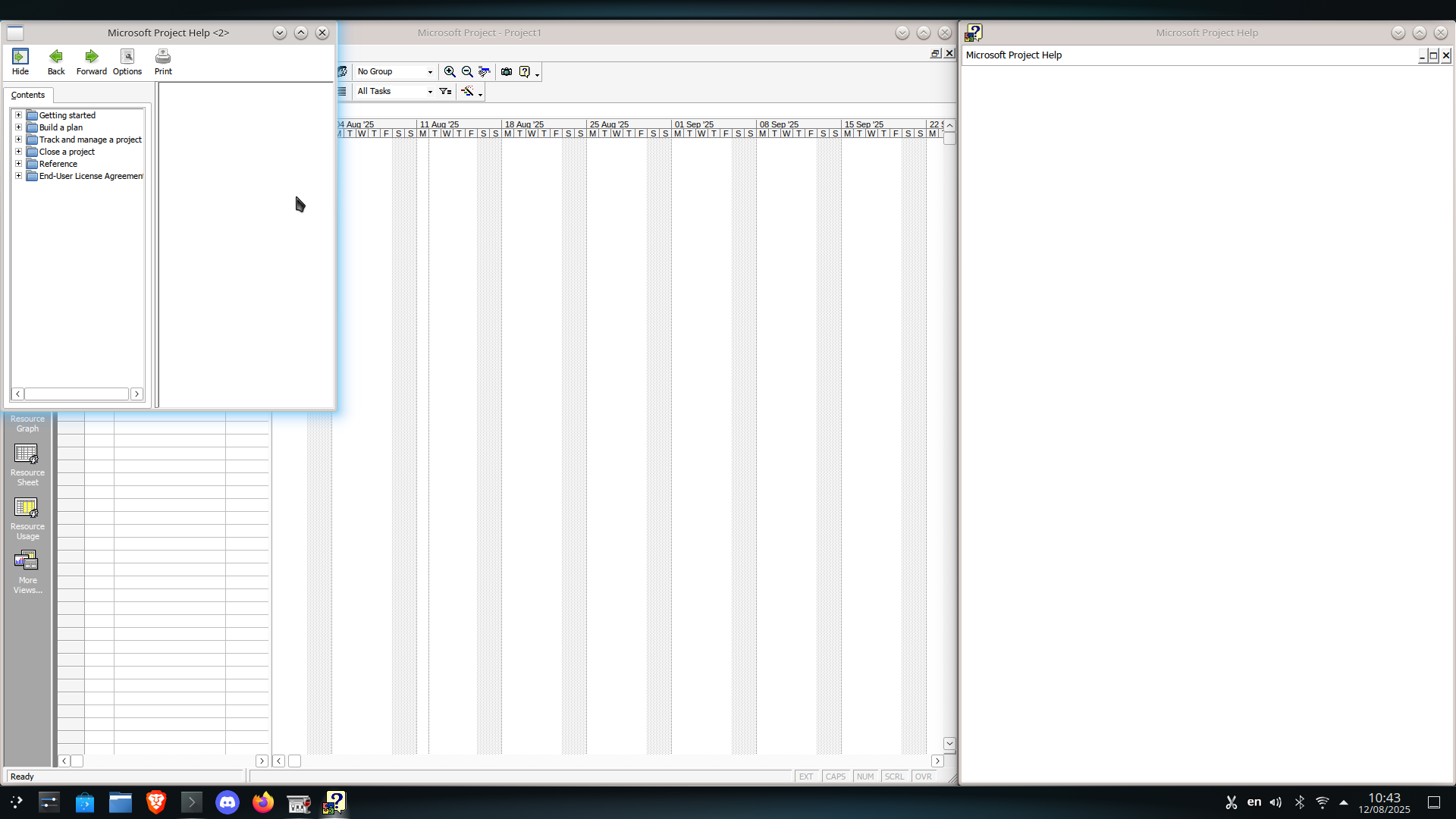
Another issue is that the help viewers do not work; instead they just display blank content. As such, this means you may have to look up information online or simply just wing it. As for my case, the help system doesn't matter to me, but that's because rarely do I need to do extensive troubleshooting of anything, as either updating something or looking it up is good enough for me. But I could see this being a problem for other people.

As for usability, most of the program is functional. Older 2000 and XP era Microsoft software has a better likelihood of cooperating with Wine compared to newer Microsoft programs, and this is a good example of that. You can create your typical Gantt charts, with (human/material, not PC system) resource management, day-to-day tracking, and the likes. You can create resources, change the percent of a task completed and if it follows/follows up another task, and all the other bells and whistles of your average enterprise-level project management software that is comically priced. At least it's not Jira, which while I hear a lot of companies praise, I also hear a lot of people who work with that software call it a pain in the ass.
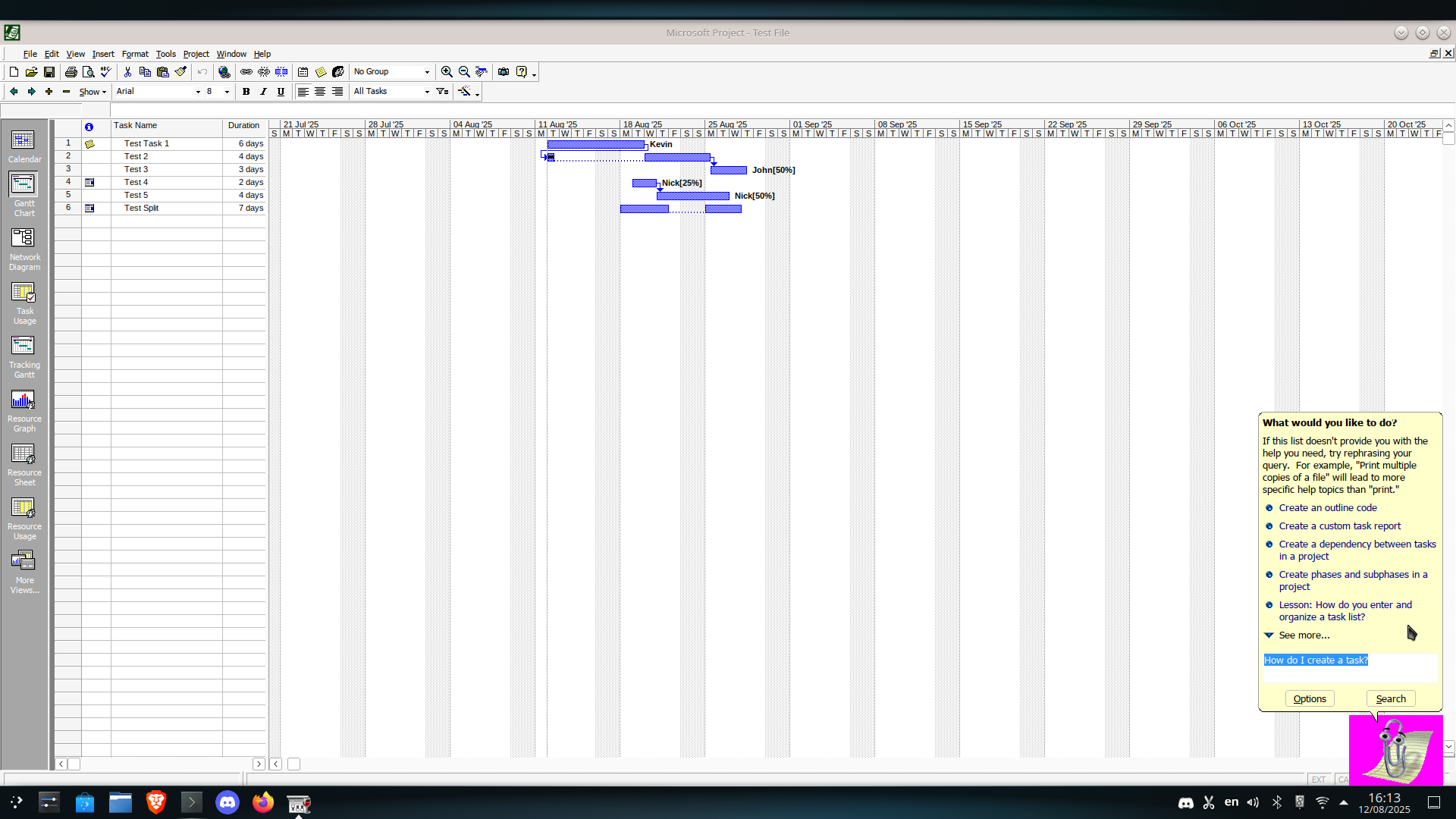
Overall, it runs quite smoothly and solidly, from what I tested. Even Clippy does his typical job quite well, albeit with the pink background that appears when running the program on newer versions of Windows. (spoiler alert: it will install and run on Windows 11!). I would say that Clippy's audio clips are a tad distorted in the program, but what can you really do about that? Not only will Project run on Kubuntu 24.04 LTS, but also Ubuntu MATE 24.04 LTS! But, with my experience running Microsoft Project 2000 on Linux, there are some significant issues...

Major issues
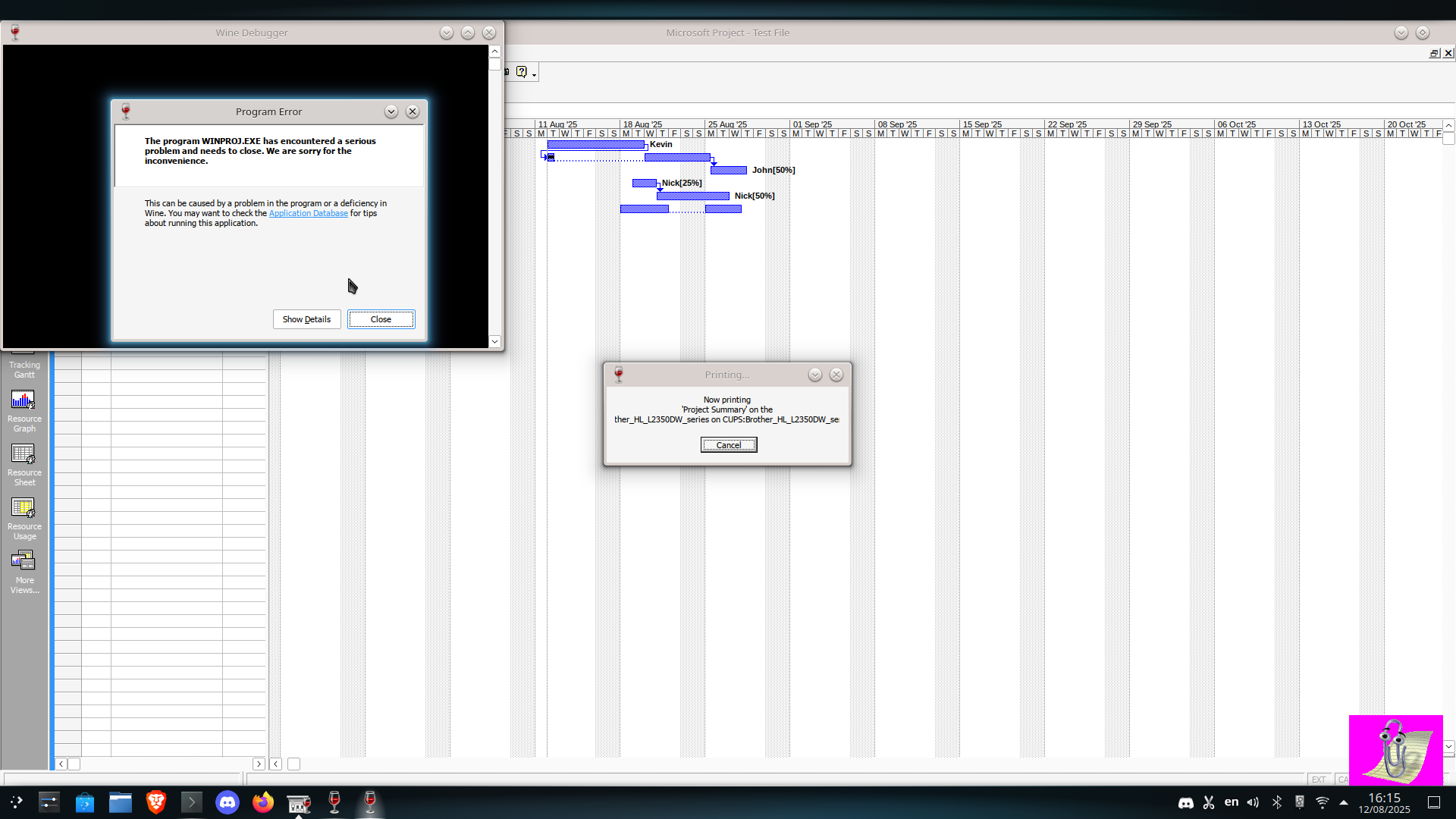
Perhaps the big elephant in the room is printer support. It doesn't exist. Trying to print the Gantt chart or use anything related to printing out a file will crash Project 2000. Now, it could be related to my printer, which for the most part uses network printing, and other Office 2000 programs I've used on modern OSes can, if I remember correctly, crash when trying to print (even on Windows), it could equally be something else, like CUPS or just a compatibility error as the printer works fine with LibreOffice (for the most part) or other typical Linux software needs. Likewise, I don't often use the printing functionalities of many programs (usually it's just Word, Publisher and their LibreOffice equivalents), and this is a program from over 25 years ago. From my own experience Microsoft Office 2003 can print perfectly alright on Windows 10, but there's too many variables in the equation to really decompile.
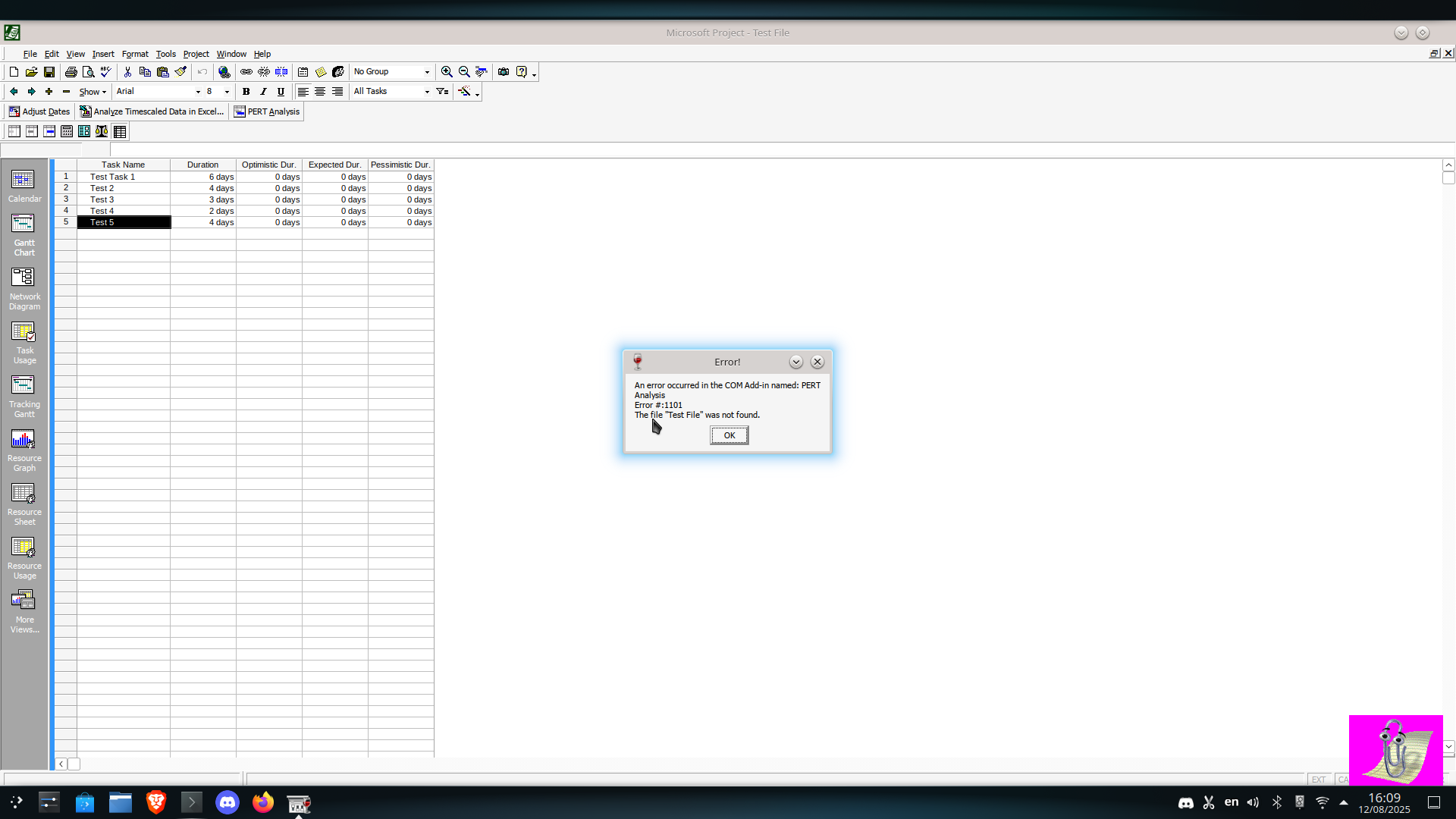
The other major issue is arguably that you can't perform a PERT analysis. Now for me I simply need Project to do my project tracking, nothing more nothing less. But again, like printing and the help issues, this is something I see being problematic for other folks, presuming someone would insist on using this program on Linux.
Of course, it'd be incompetent of me to not bring up the help menu issues I mentioned and described earlier, and to add on to that, this is annoying for even those who don't need to use the help viewer, as while you normally can uncheck a box related to if the help menu home will show up on startup, the lack of rendering makes this impossible, and requires the window to manually be closed every time.

Gallery

From left to right:
- Broken help menu. I hope you like closing windows as you'll have to likely close it every time.
- Clippy, the iconic yet infamous paperclip assistant. At least he's not Copilot.
- The aforementioned PERT error.
- The project statistics window.
Feel free to open each image in a new tab to get a better view. ^_^

Conclusion
To conclude, it is possible to run Microsoft Project 2000 on Linux using WINE. It does have issues, like with printing, the help viewer and PERT analysis, which do limit the program, but it DOES work. As to if you should use it? Well, presumably, some free and open source options exit, such as Calligra Plan, OpenProject and Redmine. If you don't have interest or trust in these, and you insist on using an ancient computer program, it works for me and should work on other Linux systems. But I don't have much else to say, so have a nice day!